
YouTube's Watch Later list manager
Filter your YouTube Watch Later list by channel, title, length or watched state, export it, and remove the videos you pick.
Watch Later list manager is a free Chrome extension · version 1.0.1
Add to ChromeCompletely free. No limits, no Pro tier, no account.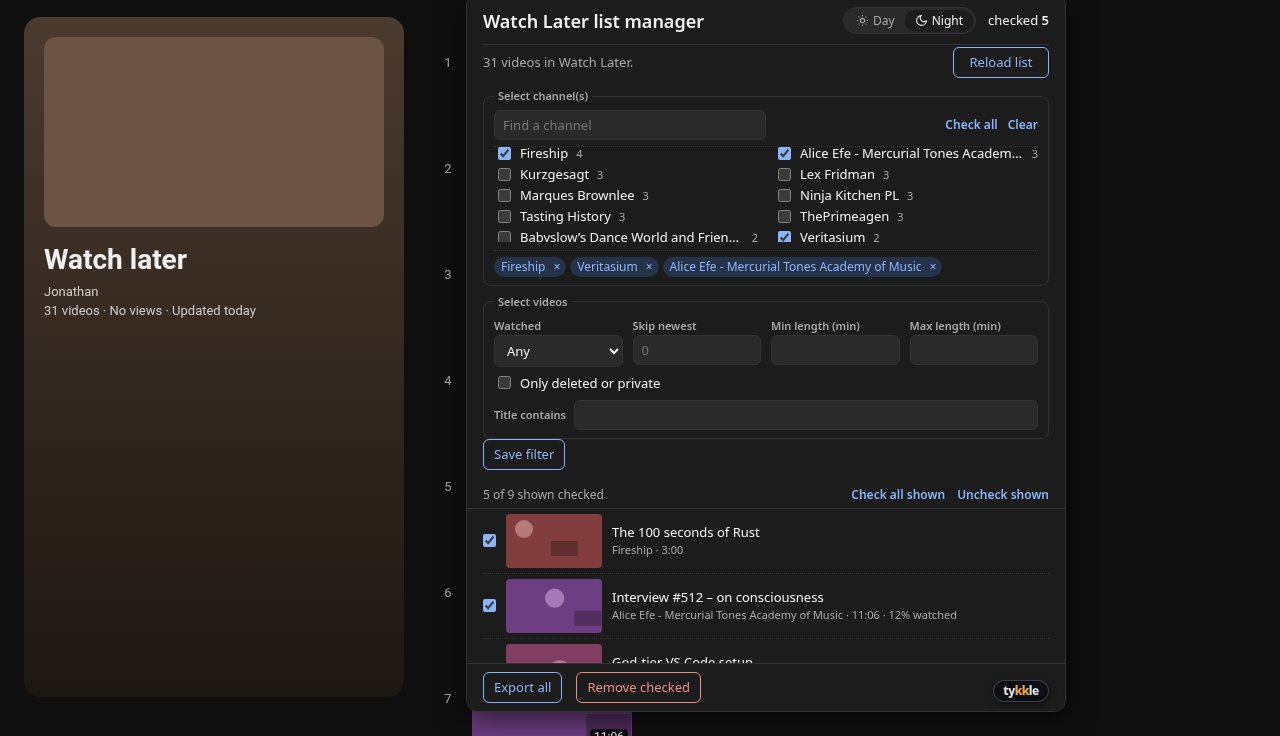
What it does
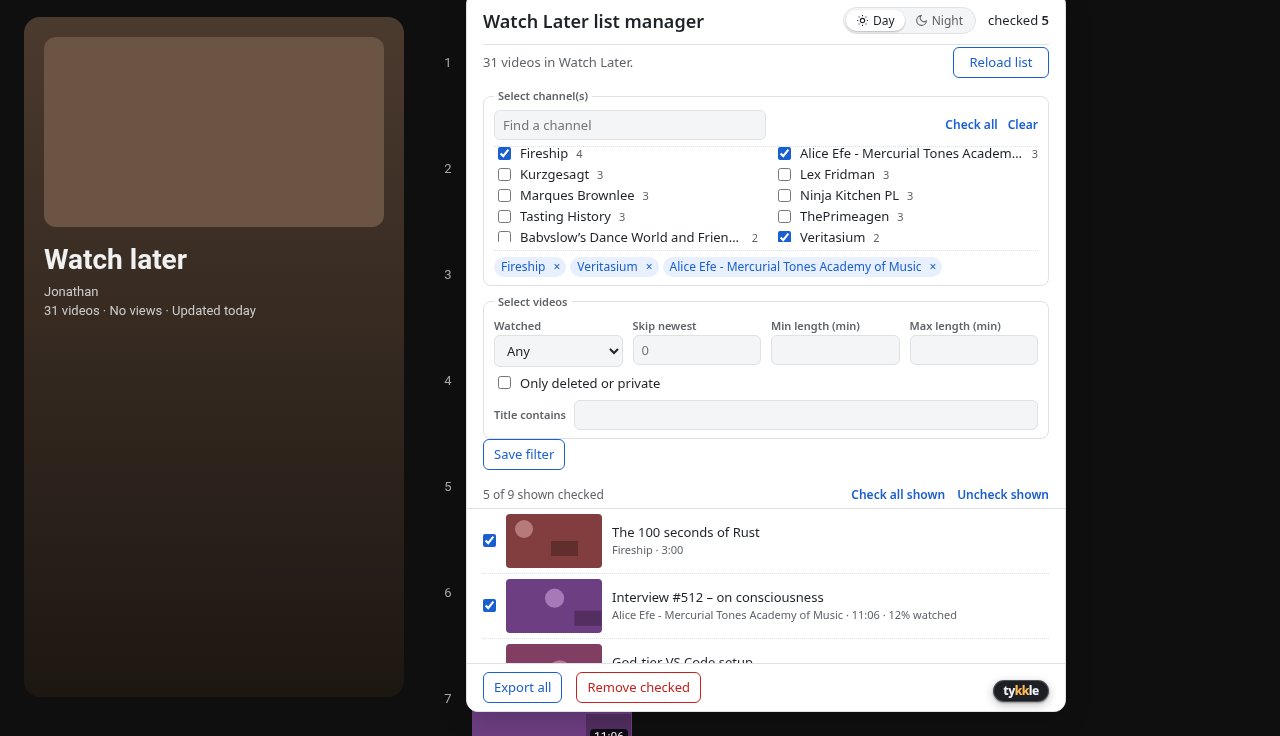
Pick channelsA searchable multi-channel picker with chips, so you can focus on one or a few channels at a time.
Filter the listBy title, watched state, length, skip the newest videos, or show only deleted and private ones.
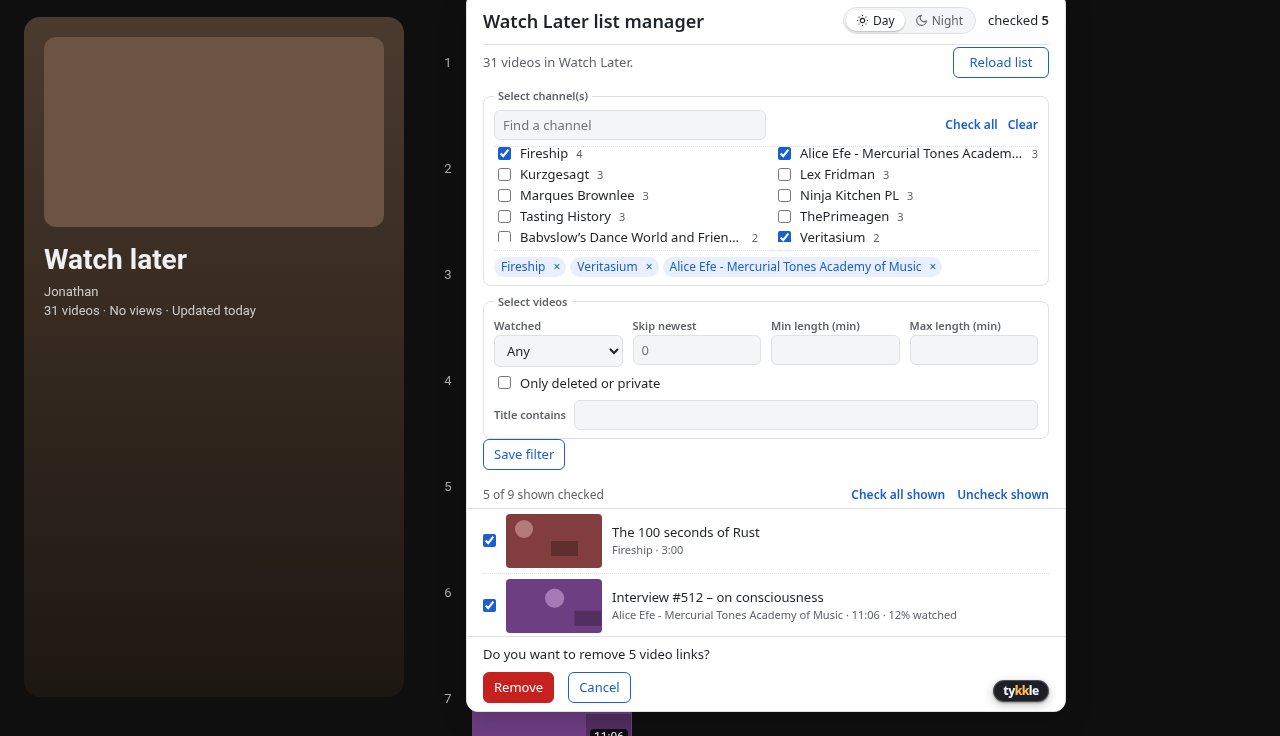
Remove only what you tickThumbnails and a checkbox per video. Nothing is removed until you confirm, and you can stop at any time.
Export everythingSave your whole Watch Later list to CSV and JSON on your own computer.
Day and NightA calm panel that matches how you browse, light or dark.
Screenshots
How it works
- Install Watch Later list manager and open your Watch Later list on YouTube.
- Click Manage Watch Later, next to YouTube's search bar.
- Filter by channel, title, length or watched state, and tick the videos you want gone.
- Confirm. The extension removes them one by one through YouTube's own menu.